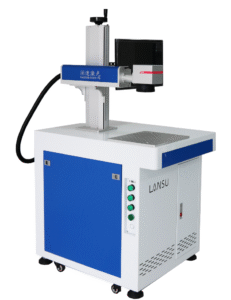


Our Dongguan engineers see it often: weak [CCD laser marking machine software security](https://lansulaser.com/ccd-laser-marking-machine-software-comply-eu-data-security-rules/) lets one unauthorized power edit scrap a batch. That hurts. Real permissions must block it.
CCD laser marking machine software meets security permission requirements only when it provides individual accounts, multi-level authorization, locked critical parameters, protected camera settings, and tamper-evident audit trail logs. Verify this through a live supplier demonstration, not marketing claims.
This article walks through four questions. How do you set roles? Which features protect your data? Can you trace changes? And how do you prove compliance? I will keep each answer practical.
How Can I Set Different Access Levels for My Operators and Managers?
Last year an Italian customer sent me a WhatsApp message with one question: can his operators run jobs without touching the recipe? That is the right place to start.
Set access levels through role-based user access control. Give operators job loading and start/stop only, give engineers parameter editing with approval, and reserve system administrator rights for user management, network settings, and audit log review. Each person needs an individual account.

Start With Multi-Level Authorization, Not a Single Password
Many marking machines ship with one shared password. Everyone on the shift knows it. That is not access control. It is a formality.
The first thing I confirm for any buyer is whether the software supports tiered roles. At minimum, you need an administrator level and an operator level. Better systems add engineer, quality inspector, and maintenance roles. Our solution design team treats this as a hard requirement on any production line with more than one shift.
The second thing I confirm is that critical parameter changes are limited to authorized people only. Laser power, frequency, speed, serial-number logic, and CCD thresholds should sit behind a role, not behind a shared PIN.
A Working Permission Matrix
Here is the matrix we use when configuring a visual positioning system 1 for a customer line. You can adapt it to your own workflow.
| Role | Can do | Cannot do |
|---|---|---|
| Operator | Load approved file, scan production data, start/pause/stop, run camera check, clear routine alarms | Edit laser or vision parameters, change serial logic, alter network settings |
| Quality inspector | Review marks and CCD images, approve or reject parts, export quality records | Modify laser or inspection settings without special authorization |
| Engineer | Create and edit programs, set camera alignment, adjust laser parameters, test in controlled mode | Release changes to production without approval |
| Maintenance technician | Diagnose hardware, test communications, enter service functions | Change production settings outside a controlled maintenance procedure |
| System administrator | Manage users, configure network and backups, review audit logs | Run routine production where separation of duties applies |
Least Privilege in a Real Changeover
Think about a normal product change. The operator selects the next approved recipe, scans the work order, and presses start. The automated alignment software finds the part, compensates for rotation, and marks it. At no point does the operator need to open the parameter panel. So the software should not let him.
Now think about a new product. The engineer builds the recipe, tests it, and submits it. A manager or quality lead approves it. Only then does it appear on the operator's job list. This is separation of duties, and it protects both your product identity and your laser.
One more point from my experience. Each person must have an independent account. Shared accounts destroy accountability, and they make offboarding a departing employee nearly impossible.
What Security Features Should I Look for to Protect My Production Data?
Every quote we prepare in Dongguan involves a trade-off. Stricter logins protect data, but they slow changeovers. We weigh both before recommending a configuration.
Look for independent accounts with password policies and lockout, file-level read-only recipes, locked laser and CCD inspection parameters, controlled USB and network access, encrypted backups, governed remote support, and optional Active Directory or SSO integration. These features protect both the mark and its digital record.
Account Security Basics
A CCD laser marking machine controls more than a design file. It controls laser parameters, product identifiers, serial numbers, camera settings, production records, and often a link to your MES or ERP. So industrial software security has to cover the whole workflow.
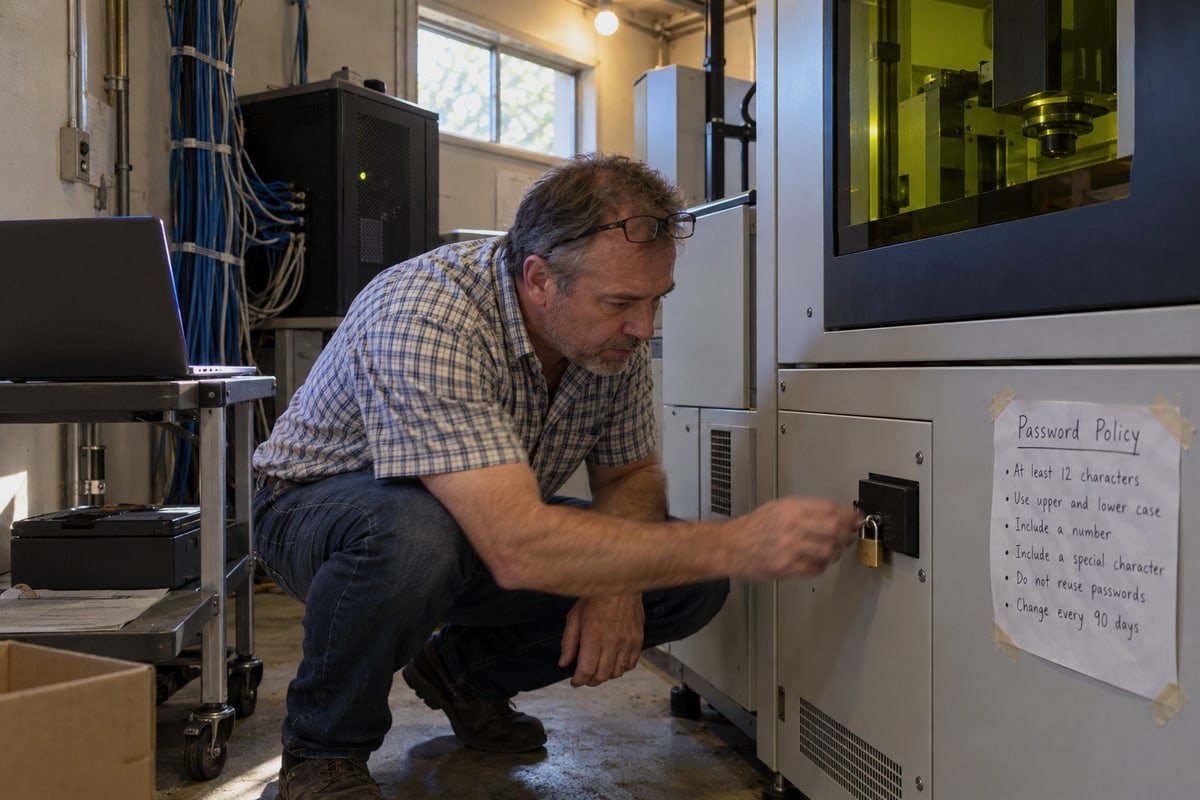
Start with the account layer. I ask three plain questions when evaluating software. Does each user get an independent account? Is there password protection 2 with minimum length, expiration, and lockout after failed attempts? Can inactive accounts be disabled quickly? If the answer to any of these is no, the rest of the security story is weak.
For larger plants, directory integration matters. Support for Active Directory, LDAP, or enterprise SSO through platforms like Okta lets your IT team manage laser software access centrally. Some buyers in regulated sectors also ask about badge or fingerprint login. These reduce the risk of written-down passwords without slowing operators.
Why the CCD Camera Is a Security Boundary
This is the part most buyers overlook. Machine vision integration means the camera decides whether a part is positioned correctly and whether a mark passes. Change the threshold, and a bad mark can pass. Disable inspection, and nobody knows.
| CCD setting | Risk if changed without authorization | Recommended control |
|---|---|---|
| Exposure, gain, lighting | Reference image no longer matches, false passes or rejects | Engineer role only, logged |
| Inspection region or reference image | Wrong area checked, defects missed | Version-controlled, approval required |
| Pass/fail tolerances | Defective or misaligned marks accepted | Engineer role, old and new values logged |
| Inspection bypass | Production continues with no verification | Blocked for operators, or recorded as override with reason |
| Failed-part image storage | No evidence for disputed parts | Always on, protected from deletion |
Our vision engineers treat camera configuration with the same protection level as laser power. If the camera determines acceptance, it deserves the same lock.
The Isolated Machine Objection
Some buyers tell me their marker is a standalone appliance, so it needs no enterprise-grade controls. I understand the point. A truly air-gapped machine with no USB workflow and two trusted operators carries less immediate risk.
But in practice, isolation is rare. Most control PCs run Windows, accept USB drives, use network shares, or connect to a production database. The laser may not touch the internet, but the control computer can still become an entry point. A simple test: can an operator copy a recipe to USB, edit it elsewhere, and load it back without detection? If yes, you need controlled USB ports, file integrity checks, or network-stored recipes.
Remote Support Needs Governance
Vendor remote access shortens downtime. We offer it, and buyers in the UK, Germany, and Australia rely on it. But it must be disabled by default, started per incident, approved by you, logged, and revoked when the session ends. A remote technician should never be able to fire the laser without local confirmation and a documented safe condition.
Can I Track Who Made Changes to My Marking Parameters?
During a factory acceptance test in our Dongguan workshop, a quality lead changed one frequency value and then asked me to find it in the log. We did, in seconds.
Yes, if the software keeps true audit trail logs. Each record should show the user, timestamp, workstation, affected parameter, old value, new value, and approval status. A log that only says settings changed is not enough for traceability or compliance.

Event Log Versus Audit Trail
Almost every marking software has some kind of log. The real question is what the log contains. I have seen many systems that record only a line like "parameters updated" with a time. That tells you nothing useful when a batch of medical parts comes back with the wrong serial format.
Here is how I separate a basic log from a defensible record.
| Feature | Basic event log | Defensible audit trail |
|---|---|---|
| Who | Often missing or shared account | Individual user identity |
| When | Timestamp, sometimes unsynchronized | Secure, synchronized timestamp |
| What | Generic description | Specific parameter name |
| Values | Not recorded | Old value and new value |
| Why | Not recorded | Reason field and approval status |
| Protection | Editable or deletable by operators | Tamper-evident, read-only for ordinary users |
| Export | Manual screenshot | Structured export to SIEM, historian, or quality system |
Which Events Must Be Recorded
Based on what our engineers configure for customer lines and what auditors ask about, the following events belong in the log:
- Login, logout, and failed authentication attempts
- Account creation, deletion, and role changes
- Marking-program creation, edit, approval, and release
- Changes to laser power, pulse frequency, speed, focus, and hatch settings
- Changes to CCD exposure, alignment, thresholds, and pass/fail rules
- Changes to serial-number formats, counters, and variable-data sources
- Job start, stop, pause, abort, and reset
- Manual overrides and inspection bypasses, with reason
- Calibration, maintenance, firmware, and configuration changes
- Remote-support sessions and file transfers
- Data exports and deletions
- Communication failures with PLC, MES, ERP, or database
Connecting the Log to the Part
A log is most valuable when it links to a physical part. Good software connects each inspection result to a serial number, batch, and work order. It should also distinguish a genuine pass from a manual override and from an inspection that was skipped. When a rejected part is re-run, the record should explain why, not leave a silent gap.
Some newer offerings advertise blockchain-anchored logging or AI-driven behavioral analytics that flag parameter creeping. These can add value in global supply chains. But they are extras. The core requirement stays simple: who, what, when, old value, new value, and a record that ordinary users cannot erase.
How Do I Ensure My Software Meets My Industry's Compliance Standards?
I learned this lesson the hard way with one of our medical-device buyers: a brochure saying secure software proved nothing. The auditor wanted a role matrix and sample log exports.
Map each compliance standard, such as 21 CFR Part 11, to specific software controls: unique logins, role permissions, secure time-stamped audit trails, and protected electronic records. Then request written evidence from the supplier and run an on-site acceptance test before purchase.

Software Alone Does Not Make You Compliant
I want to be direct here. No marking software, including ours, guarantees compliance on its own. Compliance depends on the complete validated system: hardware, software, procedures, training, identity management, network controls, records retention, and your quality process. The software is one piece. It has to be the right piece, but it is still only one.
What the software must do is support your data integrity standards. For 21 CFR Part 11 3 compliance in medical or pharmaceutical settings, that means unique user identities, role-based permissions 4, secure time-stamped audit trails, and electronic records that cannot be altered without a trace. Automotive and electronics buyers usually ask for similar traceability, even without the same regulatory label.
Evidence to Request From Your Supplier
Marketing phrases like "secure software" or "industrial-grade control" prove nothing. Ask for documents. Here is what I prepare for buyers in regulated industries.
| Evidence | Why it matters |
|---|---|
| User-role and permission matrix | Shows exactly what each level can and cannot do |
| Audit-trail specification and sample log export | Proves the log records user, time, old and new values |
| Password and account lifecycle policy | Confirms lockout, expiration, and rapid deactivation |
| Remote-access procedure | Defines who initiates, approves, and records sessions |
| Network architecture and hardening guide | Lists required ports, services, and segmentation |
| OS lifecycle and patch policy | Confirms the industrial PC stays supported |
| Backup and restore procedure | Shows recipes, permissions, and logs survive recovery |
| Vulnerability disclosure policy | Confirms you will hear about security updates |
The On-Site Permission Test
The single most useful step is a live demonstration. I recommend every buyer require it, and I say that knowing it puts our own CCD laser marking machine software security under scrutiny. Here is the sequence we run during acceptance:
- Create separate operator, engineer, quality, maintenance, and administrator accounts.
- Try prohibited actions with each account and confirm they are blocked.
- Change a laser parameter and verify the log shows identity, time, old value, and new value.
- Change a CCD inspection threshold and confirm it is restricted and logged.
- Attempt to bypass vision inspection and confirm it is blocked or recorded as an override.
- Load an unapproved recipe and confirm production cannot start.
- Test account lockout and deactivation.
- End a remote-support session and confirm access is revoked.
- Disconnect the MES or database and confirm the machine fails safely.
- Export logs and confirm they are complete and protected from ordinary users.
- Restore a backup and verify recipes, permissions, and audit records stay consistent.
- Confirm emergency stop and interlocks work regardless of user permissions.
Vendor Convenience Versus Your Governance
Some suppliers prefer a permanent administrator account for troubleshooting. It is convenient for them. It conflicts with least privilege for you. My advice is to negotiate session approval, named technician accounts, and logged access before you sign the contract. Retrofitting these controls after installation is painful for both sides.
Conclusion
Weak permissions scrap batches and break traceability. Demand individual accounts, locked parameters, protected CCD settings, real audit logs, and a live supplier demo before you sign.
Footnotes
1. Explains the machine vision technology used for automated part alignment and inspection in laser marking. ↩︎
2. NIST definition of a string of characters used to verify the identity of a user for account security. ↩︎
3. Official FDA guidance on electronic records and signatures for regulated industries like medical devices. ↩︎
4. NIST project page defining the security model where access is granted based on specific organizational roles. ↩︎