


Operation training for a CCD laser marking machine is often vague on a quote. I have seen buyers regret that when our crated machine landed and nobody could run it.
Request operation training for a CCD laser marking machine during the quotation stage and write it into the purchase agreement. Specify who is trained, which topics are covered, when training happens, what language and documents are supplied, how competency is verified, and how long remote support continues.
Below I walk through what a real training package contains. Then I cover factory training, remote sessions, and the questions that prove your operators are ready.
What Does a Standard Operation Training Package Usually Include?
A purchasing manager in Canada asked me to define "training included" in one line. I could not. Our engineers needed a full page, and that page became our standard syllabus.
A standard operation training package covers machine startup and shutdown, marking software configuration, parameter setting, CCD visual positioning calibration, daily maintenance, common fault troubleshooting, and laser safety. It should also include English manuals, video tutorials, and a written record of who was trained.
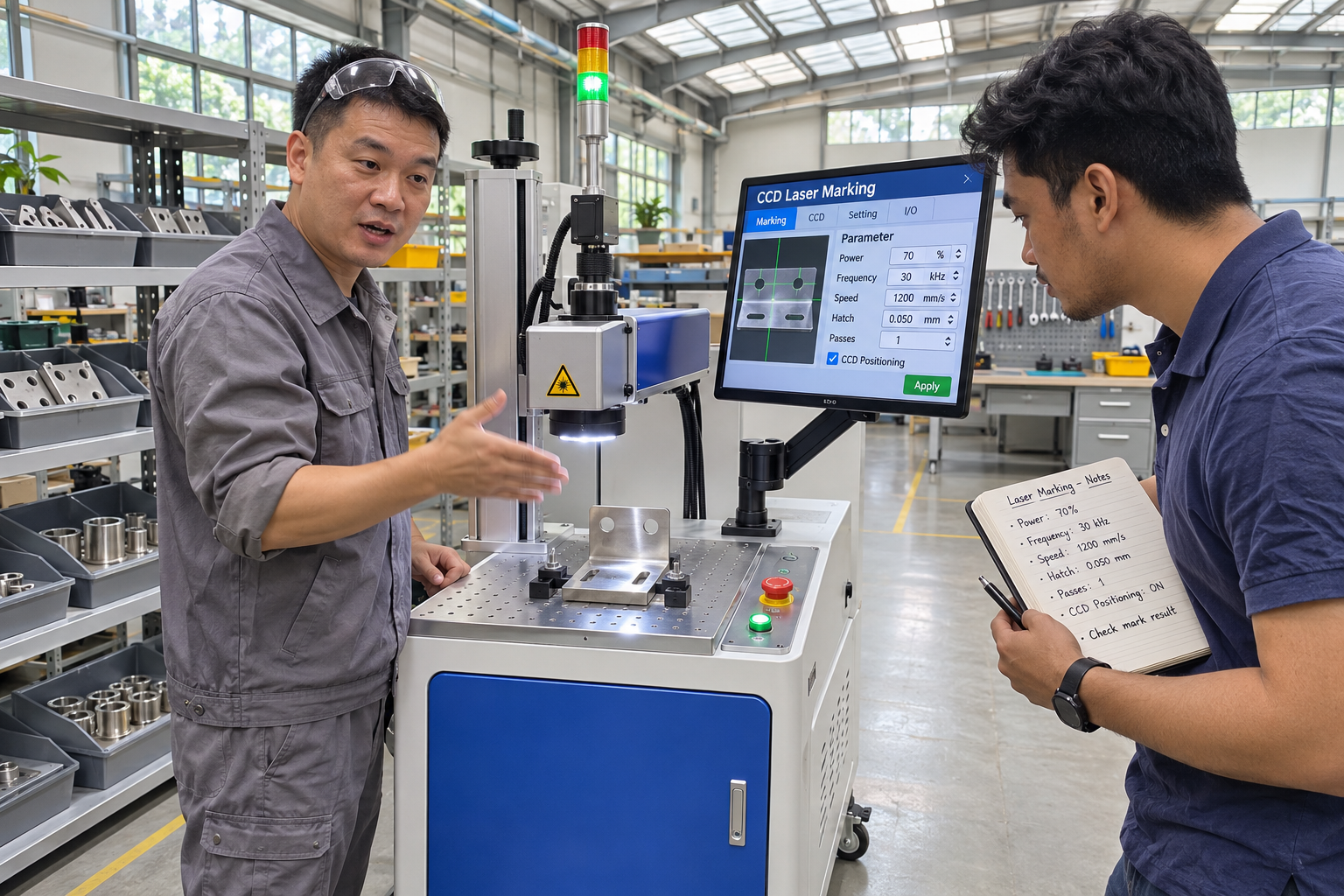
The four areas every syllabus must name
When I review a quotation for a buyer, I check that the training line names four things. First, equipment operation. That means the key switch, the emergency stop, loading parts, and running an approved job. Second, parameter setting. Operators need to see how power, frequency, and speed change the contrast on stainless steel 1 versus ABS plastic. Third, vision positioning. This covers camera focus, exposure, fiducial teaching, template matching 2, feature recognition, and camera-to-laser coordinate calibration. Fourth, daily maintenance. This covers the protective window, the cooling unit, and recipe backups. If a quote only says "operator training included," I send it back and ask for the list.
| Training module | What the trainee practices | Who should attend |
|---|---|---|
| Machine operation | Startup, shutdown, interlocks, alarms, part loading | Operators, supervisors |
| Marking software configuration | EZCAD software tutorial, artwork import, serial numbers, barcodes, QR codes | Programmers, engineers |
| Machine parameter optimization | Power, frequency, speed, hatch settings per material | Process engineers |
| Visual positioning system calibration | Camera focus, lighting, fiducials, tolerances, lens distortion correction | Engineers, maintenance |
| Preventive maintenance training | Optics cleaning, cooling checks, backup and restore, service intervals | Maintenance technicians |
| Troubleshooting | Recognition failures from glare, shadows, overlapping parts, software errors | All roles |
| Laser safety protocols | Classification, eyewear, interlocks, fume extraction, emergency response | Everyone on the line |
Why "user-friendly software" is not enough
Buyers often tell me the software looks simple, so a short demo should be enough. For a fixed-recipe machine with no camera, that can be true. A CCD system is different. The camera decides where the mark lands. An operator who changes a search tolerance or a hatch setting without understanding it can scrap a tray of PCBs or battery components. So I split training into two levels. Operators learn to load approved recipes, confirm recognition, run, and inspect. Engineers learn to create artwork, build camera recipes, set inspection tolerances, and optimize parameters. We lock parameter editing behind user permissions so the two levels stay separate.
Safety as its own module
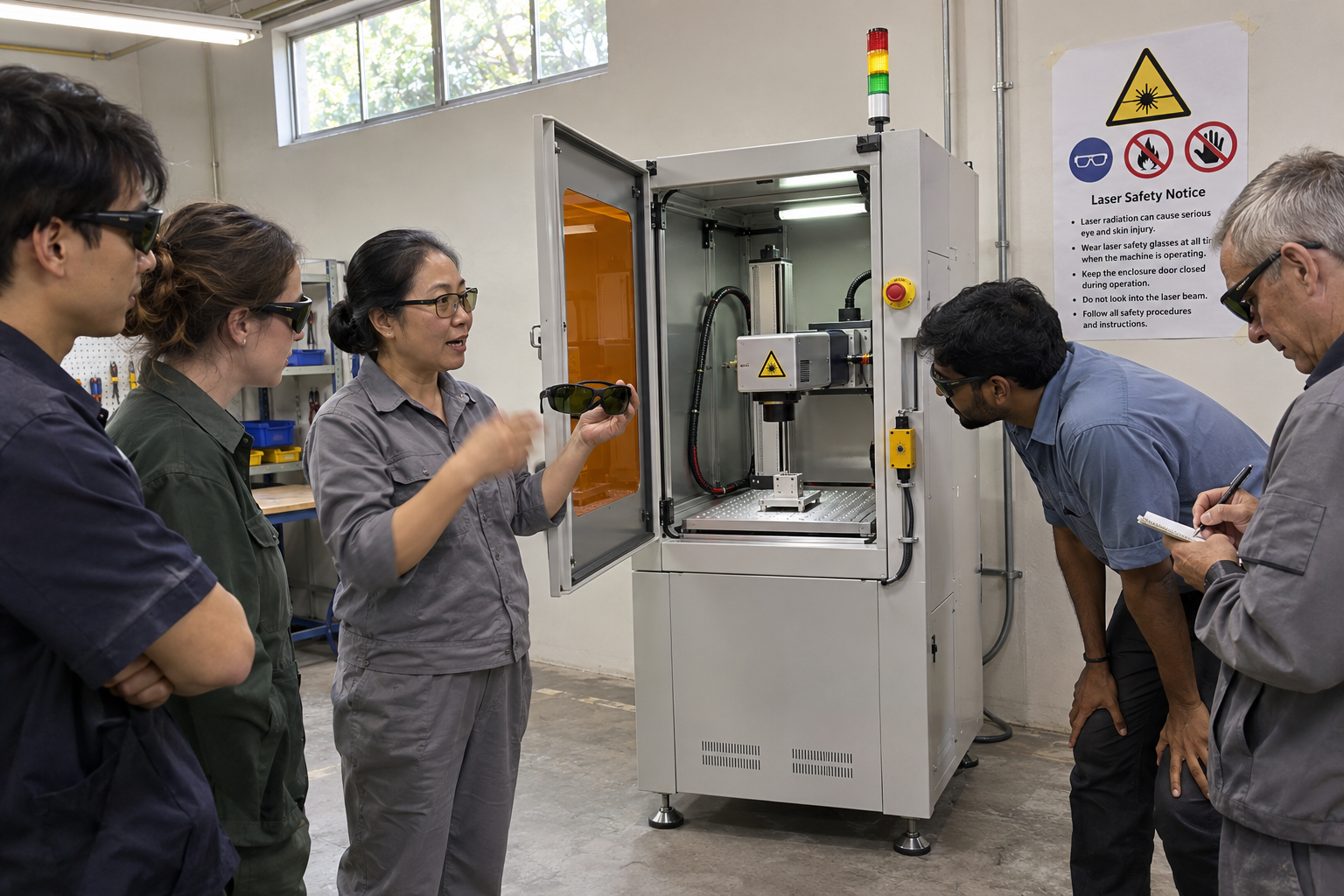
Laser safety protocols deserve a separate session, not a slide at the end. Our enclosed machines run as Class 1 products 3 during normal operation. Open-door maintenance can expose Class 4 radiation. IEC 60825-1 is the international basis for classification. ANSI Z136.1 is the key US training standard. Operators should learn interlocks, emergency stop use, warning indicators, fume extraction, fire response, and when to stop and call a technician. I always tell buyers to confirm local requirements with their occupational-safety authority rather than assume an enclosure removes every obligation.
Materials in your language
Ask for the English operator manual, the CCD vision manual, and step-by-step video tutorials before the trainer leaves. We prepare these in English for every export order because the next hire will not have the trainer standing beside them.
Can I Get Hands-On Training at the Supplier's Factory Before Shipping?
A maintenance technician from Turkey spent several days on our Dongguan floor before his machine shipped. He left with camera recipes already built for his own parts.
Yes. Many suppliers offer hands-on training at the factory before shipping. Trainees operate the actual machine during final acceptance testing, run their own sample parts, and practice CCD alignment. The limit is that fixtures, lighting, and utilities at the buyer's site may still differ.
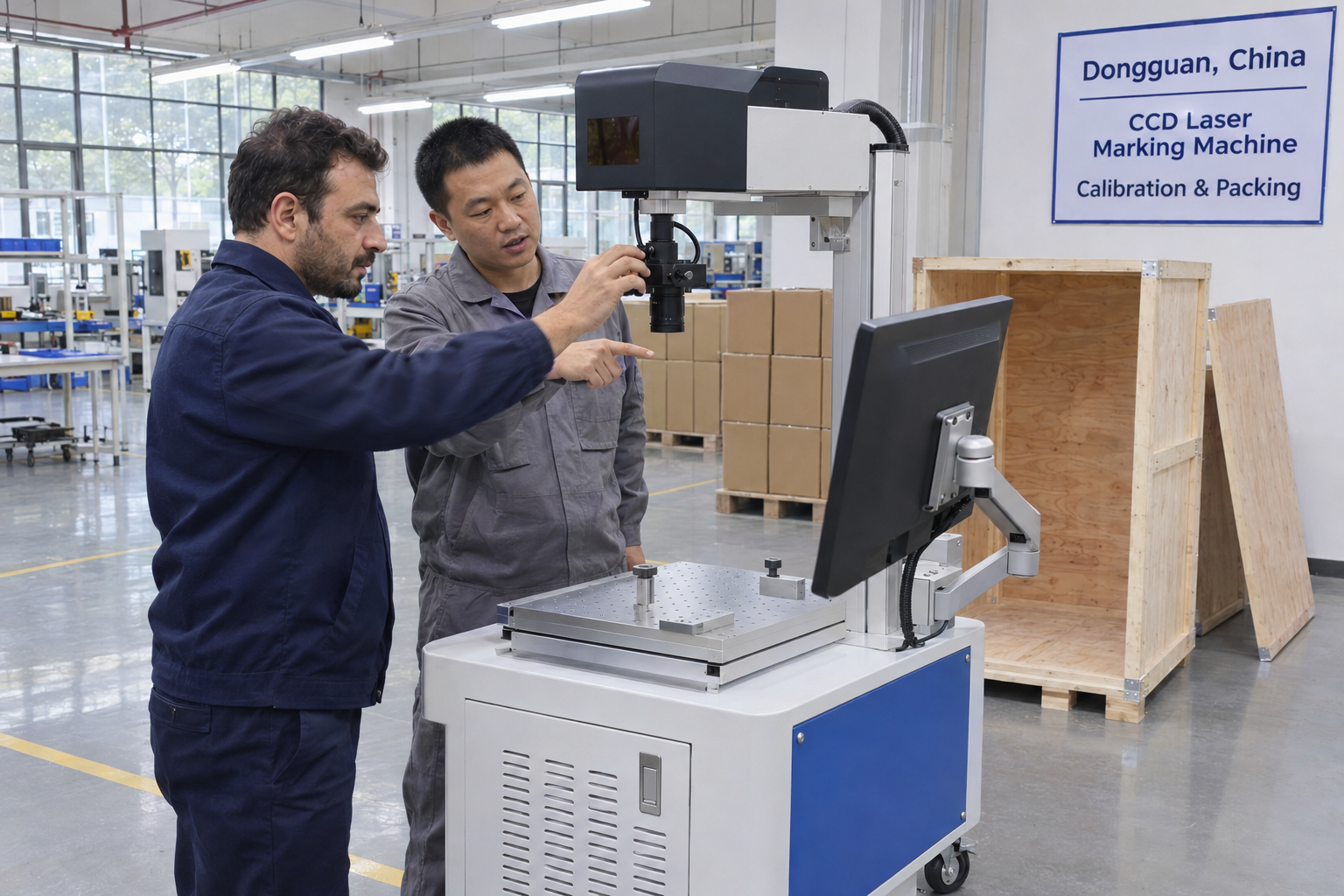
What a factory visit can and cannot do
Pre-shipment training at our factory happens during final testing of the buyer's own machine, not a demo unit. We ask the buyer to send sample parts, artwork files, barcode specifications 4, position tolerances, and cycle-time targets in advance. Our solution design engineers build the recipes before the visitor arrives. The trainee then runs the full marking process with their own hands, from loading the part to reading the finished code. This is the "hands-on" part that I insist on. Watching an engineer click through menus teaches very little. Doing the job teaches a lot.
A factory visit cannot copy your site conditions. Your ambient light changes between shifts. Your line fixtures, your PLC or MES connection, your extraction system, and your power supply all stay at home. That is why factory training suits programmers and maintenance technicians best. Line operators still benefit most from on-site installation and commissioning training.
| Format | Best for | Trains on final configuration? | Covers site conditions? | Relative cost |
|---|---|---|---|---|
| Factory training before shipping | Programmers, maintenance technicians | Yes, same machine | No | Travel for trainee |
| On-site after commissioning | Line operators, supervisors, quality staff | Yes | Yes | Travel for trainer |
| Remote sessions | Refreshers, software, new hires | Partly, through screen sharing | Partly | Lowest |
A simple sequence for a pre-shipment visit
- Send parts, files, and quality standards before the visit.
- Let the supplier's engineers prepare recipes and fixtures.
- Run the acceptance test together on production samples.
- Have the trainee build a new recipe without help.
- Record a short video of each key step.
- Sign the acceptance report and take the backup files home.
Where training sits in the timeline
I ask buyers to discuss training at four stages. Before purchase, we settle scope, duration, location, language, and cost. Before shipment, we confirm software versions, sample files, and who will attend. During installation, we train operators while the machine is set up on the real floor. After production begins, we move to remote follow-up. A supplier who calls the machine "plug and play" is skipping at least two of these stages. Even a simple fiber marker needs job validation, safety orientation, and process setup on your parts.
How Do I Arrange Remote or Online Training After the Machine Arrives?
I weigh two things when a customer asks our team for remote-only training: travel money saved, and the risk that nobody on site has touched the camera calibration.
Arrange remote training by agreeing on a schedule, platform, and session count before shipment. Use video calls with screen sharing for EZCAD software tutorials and recipe setup, request recorded sessions, and reserve on-site visits for installation, safety checks, and first camera-to-laser calibration.
Six steps to set up remote sessions
- Write the number of remote sessions, the platform, and the time zone into the contract.
- Get your IT team to approve a remote desktop tool on the machine PC.
- Agree which topics are remote and which need a visit.
- Record every session and store it with the manuals.
- Define the response time for remote technical assistance.
- Ask for a video library you can use to onboard future employees.
What works remotely and what does not
| Topic | Works remotely? | Reason |
|---|---|---|
| EZCAD software tutorial and marking software configuration | Yes | Screen sharing shows every menu clearly |
| Machine parameter optimization on a new material | Partly | The trainer needs photos or a verifier reading of each test mark |
| First camera-to-laser calibration | No | Someone must physically adjust focus, lighting, and the calibration plate |
| Lighting hygiene across shifts | Partly | A phone camera can show glare, but fixes need hands on the lamp |
| Data integration with MES or ERP | Yes | Export of CCD verification logs is a software task |
| Safety verification of interlocks | No | Must be tested in person before production |
| Remote AR over-the-shoulder guidance for changeovers | Yes | A headset or phone lets us point at the exact part |
The internal-training objection
A business owner in Italy told me his senior operator would train everyone else, so he only wanted one remote session. That plan works until the senior operator leaves. Then nobody understands backups, user permissions, or why recognition fails on a glossy part. Internal training is useful, but it concentrates knowledge in one head and often skips documentation. My answer is a blended approach. Keep your internal trainer, but make sure the supplier delivers written procedures, recorded videos, and a defined retraining option for new hires.
Confirm the after-sales terms in writing
Before I close a deal, I confirm three numbers with the buyer. How many training sessions are included. Which remote guidance channels we will use, which for most of our export customers means WhatsApp for quick questions and video calls with remote desktop for recipe work. And how long after-sales technical support runs. A support period without a stated response time is not a commitment. Get the hours and the days in the contract.
What Should I Ask to Make Sure My Operators Are Fully Qualified?
One lesson cost us a return trip to the UK: attendance sheets prove nothing. A signed list of names is not proof that an operator can recover from a failed recognition.
Ask the supplier how competency is verified, not just whether training is included. Request a practical test where each operator starts the machine, loads a recipe, confirms camera recognition, marks a part, handles an alarm, and shuts down safely, with results recorded in a certificate.

Questions to paste into your RFQ
- Is operation training included in the quoted machine price?
- Is it on-site, remote, factory-based, or a mix?
- How many training days and how many trainees are covered?
- Does training happen after installation and commissioning?
- Will the trainer use our actual parts, artwork, and recipes?
- Does the syllabus cover the CCD camera and vision software?
- Who trains programmers and maintenance staff?
- Are English manuals, videos, checklists, and troubleshooting guides included?
- Will we receive an operator certification program record or certificate?
- How is competency tested, and what happens if a trainee fails?
- What is the daily rate for extra training?
- How are new employees trained after the original operator leaves?
- What is the remote support response time and support period?
A competency checklist by role
| Role | Must demonstrate | Pass evidence |
|---|---|---|
| Operator | Safe startup, correct fixture, approved recipe, recognition check, mark, inspect, handle a failed recognition, respond to an alarm, shutdown | Trainer sign-off |
| Programmer | Create a variable-data job, teach camera references, set tolerances, back up and restore a recipe | Saved job file |
| Maintenance | Clean optics, inspect protective window, run calibration check, report a fault | Completed checklist |
| Quality | Verify barcode grade, contrast, readability, and traceability record | Verification log |
Contract wording and cost
Training can be included, limited to remote sessions, or priced separately. Industry procurement guidance gives indicative examples of operator training costs from about 1,500 to 5,000 US dollars depending on system complexity. Those are examples, not a market rate. What matters is that the contract states training days, trainee roles, who pays travel, remote support hours, extra-day rates, language, deliverables, acceptance-test requirements, retraining terms, and whether unapproved parameter changes affect the warranty. Never accept "training available upon request" without a price.
Documents to request at handover
I ship each machine with an operator manual, a CCD vision manual, electrical drawings, software license details, recipe and parameter backups, calibration records, a spare-parts list, a preventive-maintenance schedule, a troubleshooting guide, safety documents, the commissioning report, and the training records. A supplier who cannot produce this package is selling a machine, not a solution.
A request you can copy
Please include a detailed operation training program in your quotation for the CCD laser marking machine. Training should take place after installation and commissioning, using our actual parts, fixtures, marking files, and production requirements. Please specify on-site days, number of trainees, subjects covered, CCD alignment and calibration content, safety instruction, maintenance and troubleshooting content, supplied manuals and backup files, competency verification, remote follow-up support, and the cost of refresher training for future employees.
Conclusion
Do not ask only whether training is included. Ask what is taught, who teaches it, when, in which language, how competence is checked, and how support continues afterward.
Footnotes
1. Reference for the material properties and industrial marking characteristics of stainless steel. ↩︎
2. Technical overview of machine vision systems used for automated positioning and industrial inspection. ↩︎
3. Official OSHA resource detailing laser hazard classifications and workplace safety requirements. ↩︎
4. Global standard-setting organization providing technical specifications for barcode identification and data carriers. ↩︎